Holo AR Technican
View More
Connect to Content
Add layers or components to swipe between.
Holo AR Technician
View More
Role
UI/UX Designer
Writer
Year
2022
Overview
Welcome to Learning Ladder, a place where learning and play collide! Our platform is dynamic and filled with engaging educational activities that are meant to make learning fun and fulfilling for people of all ages.
Features:
Featured Games: Discover the latest and most popular educational games, carefully chosen by our team to cater to various skill levels and learning goals.
Game Categories: Explore our extensive library of games categorized by subject matter, difficulty, and age group. Find the perfect game to match your learning aspirations and have fun while mastering new skills.
My focus is
Login and admin page
Create of user account
Shopping cart, summary and payment
Role
UI/UX Designer
Writer
Year
2023
Project Goal:
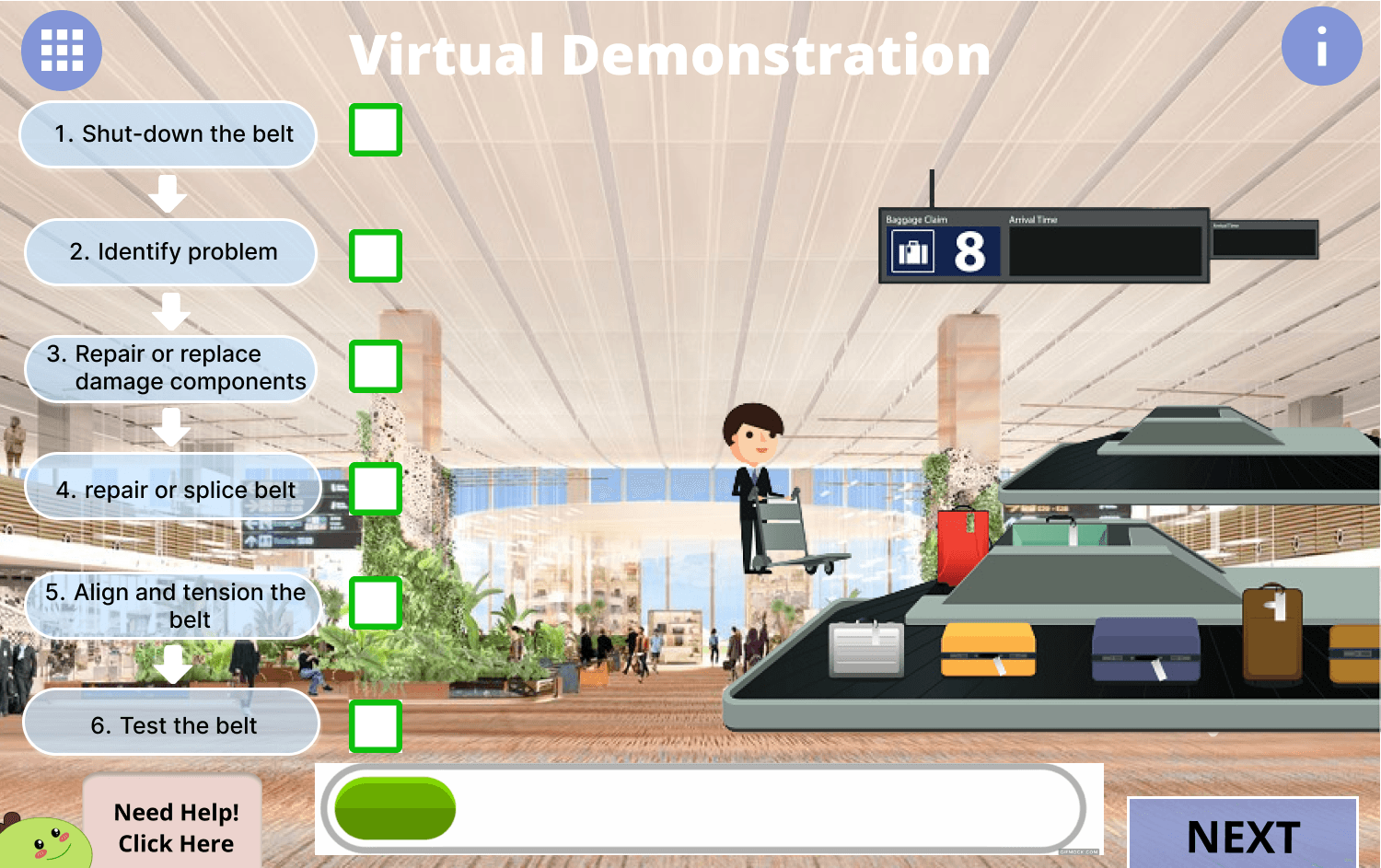
Creating a straightforward digital tool that enables technicians to identify and fix equipment problems more quickly and precisely. The main goal was to make troubleshooting easier by giving users immediate access to thorough instructions and technical material via an easy-to-use interface.
Tools & Technologies Used:
Figma (for UI/UX design, wireframing, and interactive prototyping).
Overview
The goal of this project was to provide a vital digital assistant for technicians that would employ careful UI/UX design to make the difficult process of equipment diagnosis and maintenance simpler. As part of my work, I created an easy-to-use interface that offers information that is accessible, transparent, and actionable, thereby allowing technicians to carry out their tasks more successfully.
Key Features & My Contributions (Design Focus):
Comprehensive Diagnostic Guidance Design: Developed the user interfaces and flows that lead technicians through a series of diagnostic steps, decomposing intricate troubleshooting procedures into digestible, easily understood steps.
Simplified Repair Procedure Design: Developed user-friendly design for detailed repair instructions that made it simple for specialists to follow steps on-site, reducing mistakes and boosting productivity.
Integrated Technical Documentation Access: To cut down on time spent looking for outside resources, a smooth system was created that allows technicians to access pertinent technical manuals, schematics, and service bulletins right within the tool's interface.
User Interaction & Usability Focus: Improving the usability of each page's interaction was my main priority. This required streamlining intricate data displays, improving information hierarchy, designing user-friendly navigation pathways, and making sure all features were responsive to a technician's workflow in practical situations.
Wireframing and Prototyping: To map out the tool's architecture, user flows, and interaction patterns, comprehensive wireframes and interactive prototypes were created in Figma. These prototypes were essential for getting early input on design concepts and visualizing the user journey.
Information Architecture: Made sure technicians could easily locate the precise information or actions they required by organizing the tool's features and content in a logical and approachable way.